Now you can download a copy of these docs so you can use them offline! Download now
SendableChooser Class Reference
#include <SendableChooser.h>
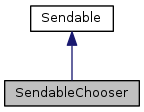
Inheritance diagram for SendableChooser:
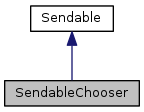
Collaboration diagram for SendableChooser:
Public Member Functions | |
| void | AddObject (const char *name, void *object) |
| void | AddDefault (const char *name, void *object) |
| void * | GetSelected () |
| virtual void | InitTable (ITable *subtable) |
| virtual ITable * | GetTable () |
| virtual std::string | GetSmartDashboardType () |
Detailed Description
The SendableChooser class is a useful tool for presenting a selection of options to the SmartDashboard.
For instance, you may wish to be able to select between multiple autonomous modes. You can do this by putting every possible Command you want to run as an autonomous into a SendableChooser and then put it into the SmartDashboard to have a list of options appear on the laptop. Once autonomous starts, simply ask the SendableChooser what the selected value is.
- See Also
- SmartDashboard
Definition at line 27 of file SendableChooser.h.
Member Function Documentation
| void SendableChooser::AddDefault | ( | const char * | name, |
| void * | object | ||
| ) |
Add the given object to the list of options and marks it as the default. Functionally, this is very close to AddObject(...) except that it will use this as the default option if none other is explicitly selected.
- Parameters
-
name the name of the option object the option
Definition at line 39 of file SendableChooser.cpp.
| void SendableChooser::AddObject | ( | const char * | name, |
| void * | object | ||
| ) |
Adds the given object to the list of options. On the SmartDashboard on the desktop, the object will appear as the given name.
- Parameters
-
name the name of the option object the option
Definition at line 27 of file SendableChooser.cpp.
| void * SendableChooser::GetSelected | ( | ) |
Returns the selected option. If there is none selected, it will return the default. If there is none selected and no default, then it will return
NULL
.
- Returns
- the option selected
Definition at line 50 of file SendableChooser.cpp.
|
virtual |
- Returns
- the string representation of the named data type that will be used by the smart dashboard for this sendable
Implements Sendable.
Definition at line 76 of file SendableChooser.cpp.
|
virtual |
- Returns
- the table that is currently associated with the sendable
Implements Sendable.
Definition at line 72 of file SendableChooser.cpp.
|
virtual |
Initializes a table for this sendable object.
- Parameters
-
subtable The table to put the values in.
Implements Sendable.
Definition at line 59 of file SendableChooser.cpp.
The documentation for this class was generated from the following files:
Generated on Sat Apr 26 2014 12:26:47 for WPILibC++ by
 1.8.6
1.8.6
© 2006-2009 Dustin Spicuzza. All rights reserved.
Powered by Onnac
I do not condone or encourage graffiti. Please paint responsibly.
Powered by Onnac
I do not condone or encourage graffiti. Please paint responsibly.